Getting started
WeAD SoundChains is a Web2-friendly AI music platform with optional Web3 perks. You can browse without logging in, but creating, owning and selling tracks needs an account.
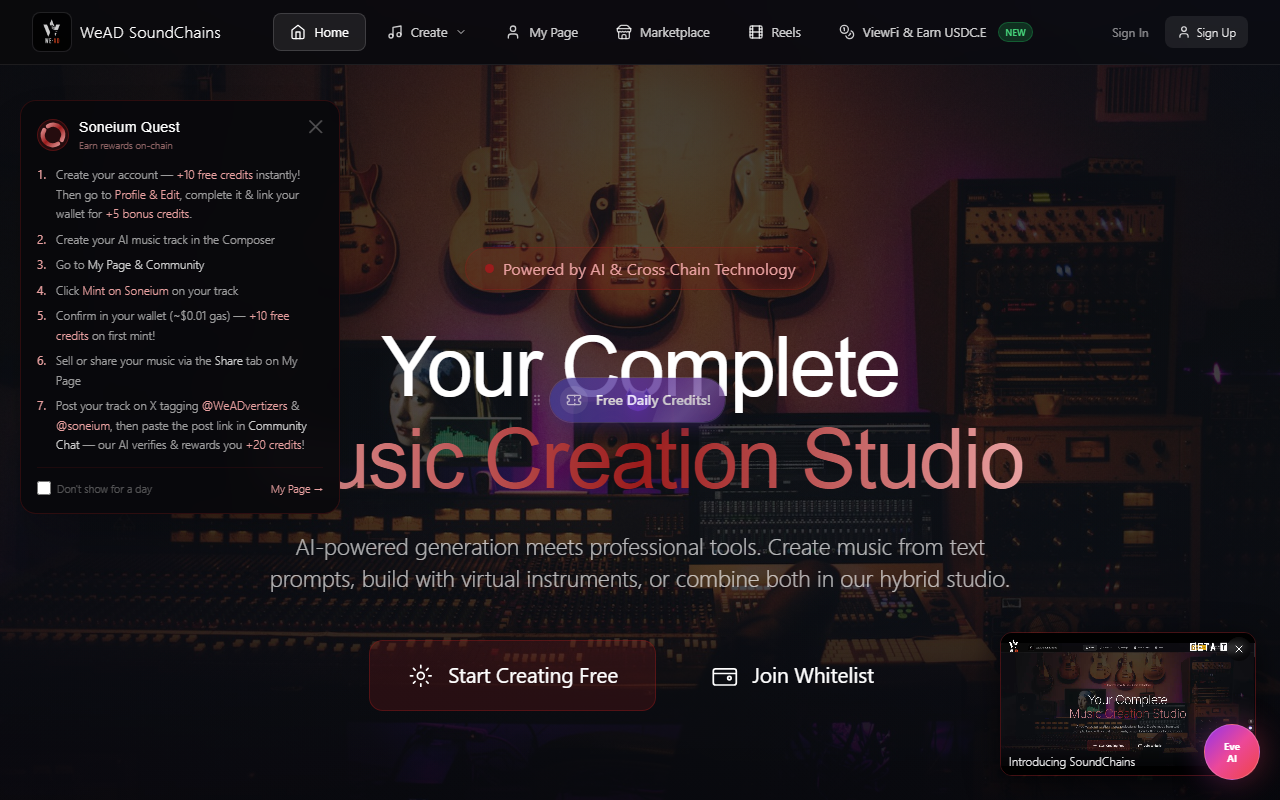
- Sign up with your email address. We send you a one-time code, so you need no password and no wallet.
- New accounts start at 0 credits. Complete your profile (avatar, username and bio) to claim 15 free credits — enough for your first AI song. The bio must be real writing, since placeholder text is rejected. Daily Quest then gives you 2 free spins every 24 hours, each worth 1–10 credits (most spins give 1).
- Every studio (Composer, Hybrid Studio, Live Looper, Editing Studio and DJ Mix) needs a free account, so sign in first.
- Optional: connect a Soneium / Startale wallet from your profile to claim WeAD Quest rewards and mint NFTs.
Create — the music tools
The Create menu is where you make music. Each tool saves into your library, and you can publish a track to the community when you are ready.
Text to Music · AI Composer
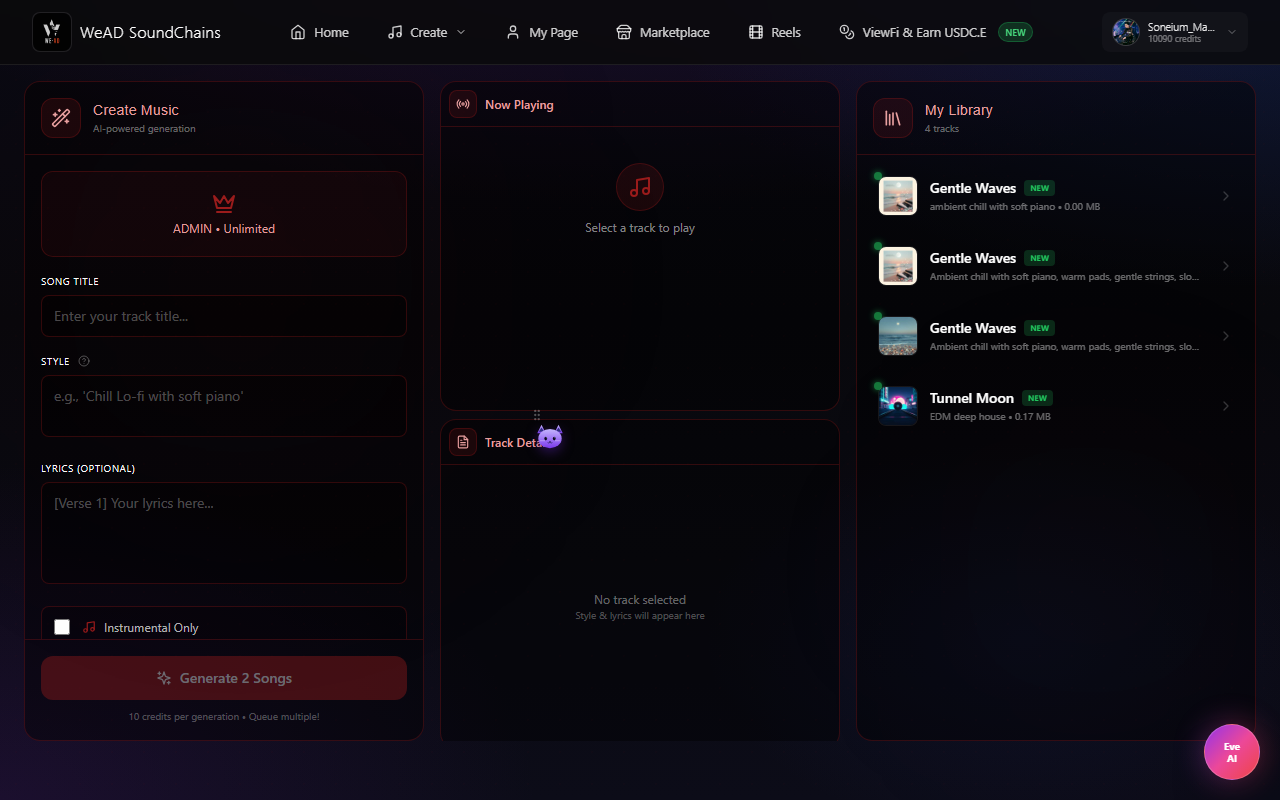
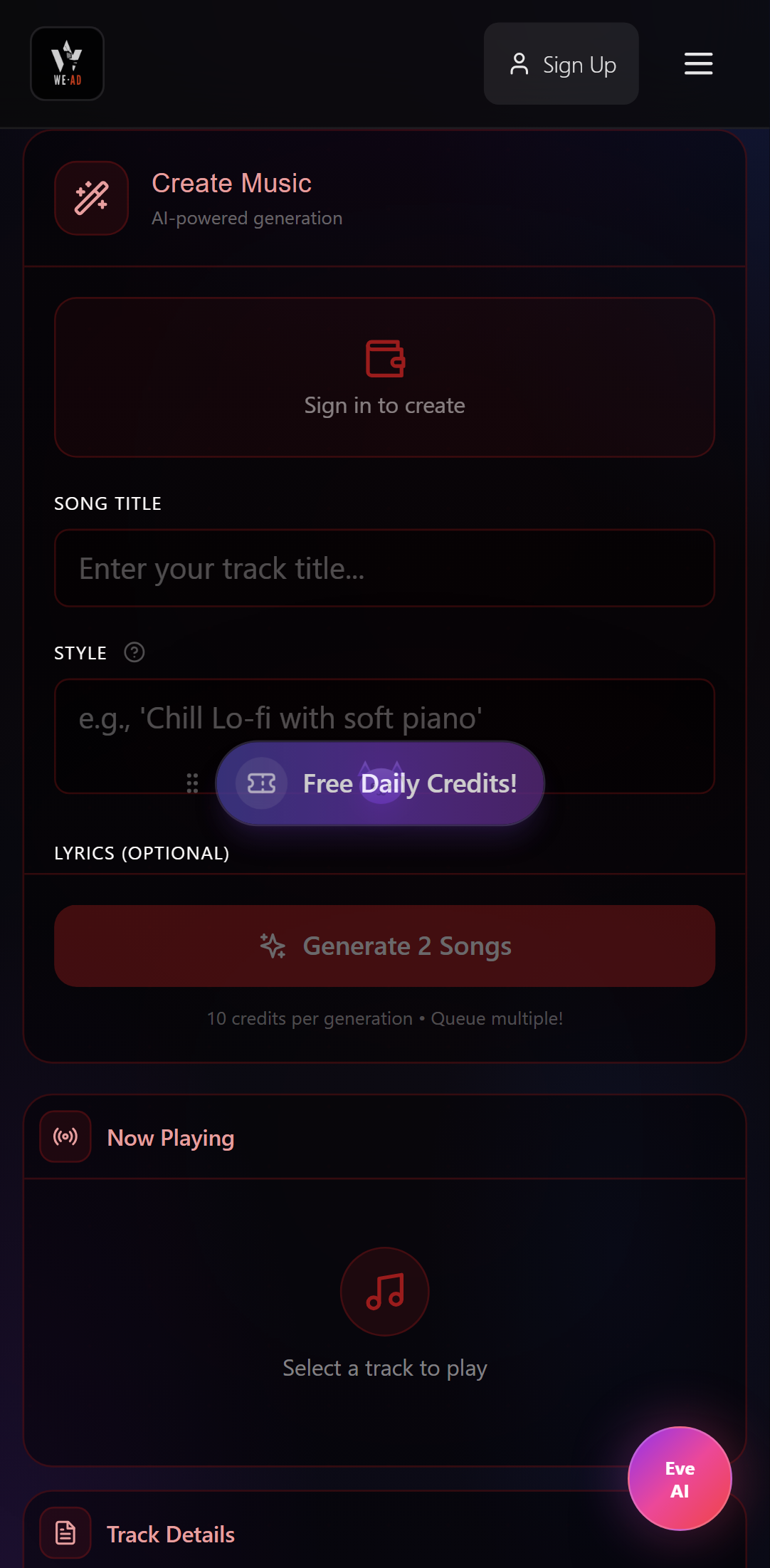
Give the song a title, describe the style in your own words (e.g. “chill lo-fi with soft piano”, in English or any language), paste your lyrics or tick Instrumental Only, then press Generate. The AI returns finished tracks (usually 2 versions) with your lyrics sung, or instrumental, saved to My Library. The AI doesn't write lyrics for you: a vocal track needs your lyrics. Need some? Ask Eve to write them. Costs 12 credits per generation.
Hybrid Studio · Virtual keyboard + chord progression
A three-octave virtual piano (with octave shift) paired with a chord-builder. Play freely, sketch out a progression, then hand it to the WeAD Music Agents to render a finished track in your chosen genre. Free to play — only 15 credits when you ask the agents to generate the full soundtrack (returns 2 variants).
How to use it
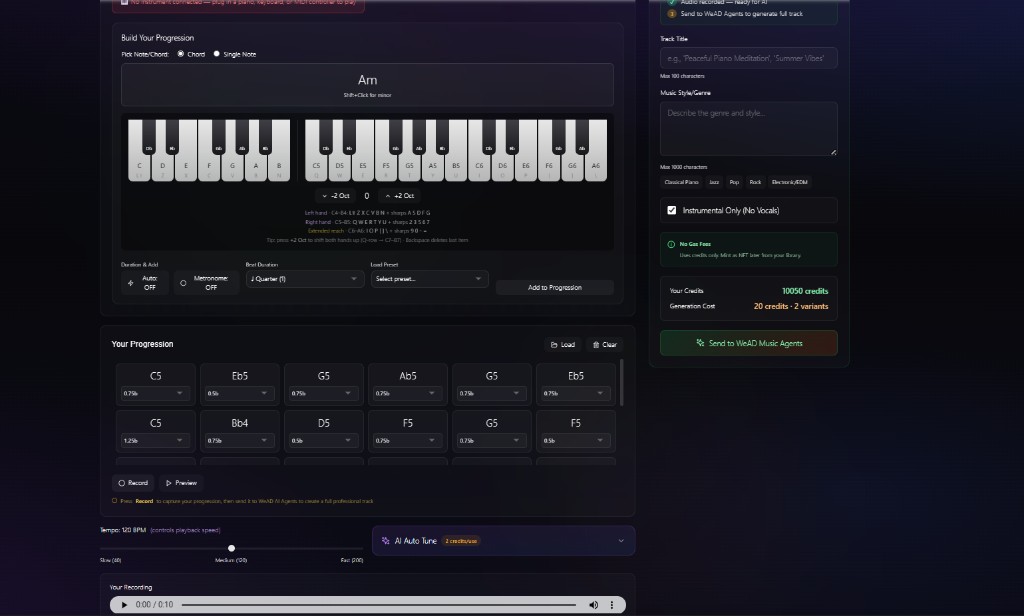
- Pick Note or Chord — Chord auto-builds the triad, Single Note lets you sequence individual notes.
- Click any key on the on-screen piano (or use the QWERTY-row shortcuts shown under it). Shift+Click flips a chord to its minor. On mobile, use the ♭ Minor toggle.
- Set Beat Duration (from 1/64 up to 4 bars), turn on Auto-add if you want each key to drop straight into the progression, and enable the Metronome for a click.
- Hit Add to Progression — the chord lands as a card in the Your Progression strip. Drag, delete or load a preset to fill it faster.
- Press Record to capture your progression (required before sending). Use Preview to listen first.
- Fill in Track Title, Music Style/Genre (Classical Piano, Jazz, Pop, Rock, EDM, …). Instrumental Only is on by default. Untick it and add lyrics if you want vocals.
- Click Send to WeAD Music Agents — that's the 15-credit step. You get back 2 variants in your Library, ready to publish, mint or download.
Optional: AI Auto-Tune analyzes your progression and tightens timing, tempo and instrument choice before you send it. Your first 10 uses are free, then 2 credits each. No gas fees — credits only; mint as an NFT later from your library.
More in the Hybrid Studio: Hum & Record (sing or hum a melody to get notes), 35+ drum-pattern styles, and Load Preset to start from a ready-made progression.
Use a real MIDI keyboard (recommended for pianists)
The on-screen piano works great with a mouse or QWERTY, but if you have a physical USB / MIDI keyboard you can plug it straight into your computer and play the chord builder with real keys — full octaves, no shortcut juggling.
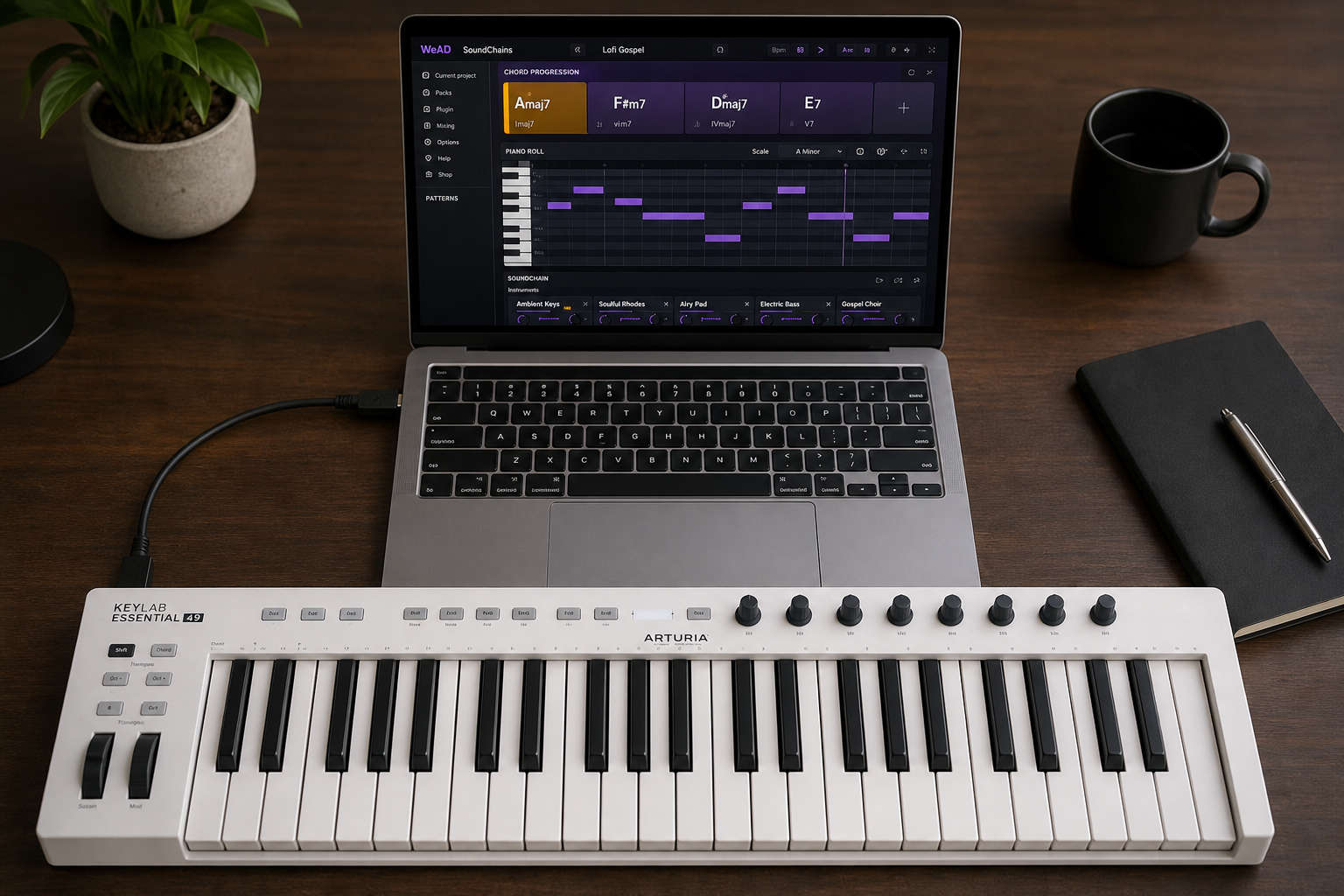
- Plug your keyboard into your laptop with a USB cable (or USB-C adapter for newer Macs). No drivers needed for any modern class-compliant device.
- Open the Hybrid Studio, click Connect MIDI keyboard above the piano, then allow MIDI access when the browser asks. Works best in Chrome, Edge or Brave. Safari doesn't support Web MIDI.
- Play any key on your hardware — it lights up on the on-screen piano in real time. In Chord mode, each key you press adds the chord built on that key. Switch to Note mode to play individual notes.
Live Looper · Ableton-style 4×4 pads
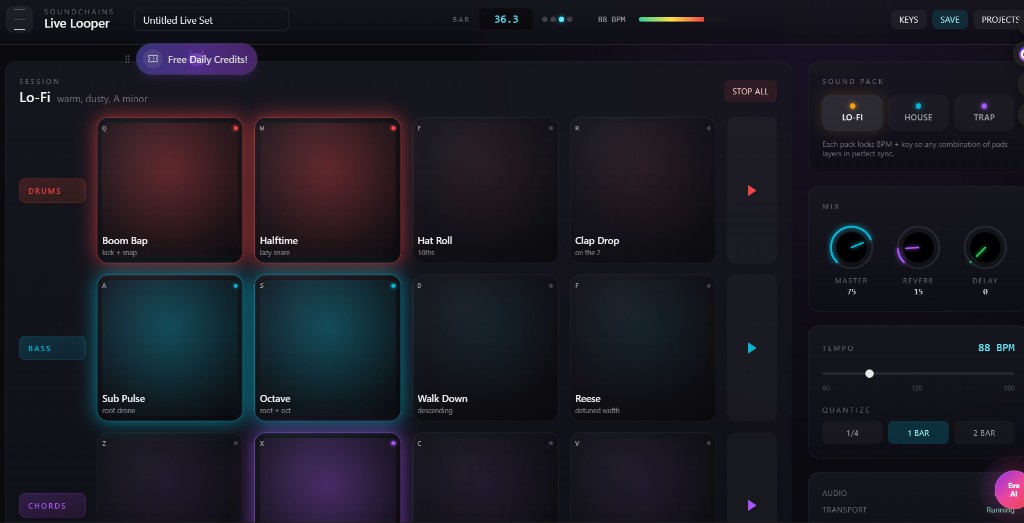
Bring up a sound pack, tap the colored pads to fire loops, and stack drums + bass + chords + lead into a live arrangement. Every pack is BPM- and key-locked so anything you trigger layers in perfect sync. Free to jam for as long as you want — only 15 credits if you ask the AI to turn your loop into a finished song with vocals.
How to use it
- Pick a Sound Pack on the right (Lo-Fi, House, Trap, Synthwave, DnB, Reggae, Latin or Cinematic). Each pack locks the session to one BPM and key so layers always sit in tune.
- Tap a pad — red = drums, blue = bass, purple = chords, green = lead. Each pad keeps looping until you tap it again or hit Stop All.
- Use the QWERTY shortcuts in the corner of every pad (Q W E R / A S D F / Z X C V / 1 2 3 4) to perform live without the mouse. Space toggles Record and Esc stops everything.
- Tweak the right-hand panel: Master / Reverb / Delay knobs, change Tempo (60–180 BPM) and pick a Quantize grid (¼, 1 bar, 2 bar) so new pads snap on the beat.
- Hit Save to keep the session as a project on this device (browser storage, not your account) — fully free, no credits used. Export any take as WAV, or export the project as .json.
- Want a finished track from your loop? Open the AI panel and pay 15 credits — the agent extends, adds vocals (or keeps it instrumental) and drops the result in your Library.
The session header always shows the current bar (e.g. 36.3), the pack's BPM and a colour-coded transport meter, so you can tell at a glance how busy your mix is.
Record your own loops with the built-in virtual piano
Want your own sounds? Tap the record icon on any pad to open the pop-up piano, pick an instrument and a length (1–16 bars or free), and play. Count-in and quantize are optional. Your take replaces that pad's loop and stays in sync with the rest. MIDI keyboards work here too. Recording is free — credits only come into play if you later send the loop to the AI for a finished song.
Editing Studio
A multi-track editor (up to 4 tracks): cut, copy, paste, trim, fade, split, reverse and undo, mix with volume, pan, mute/solo and master effects, then export MP3 or WAV. Use tracks from your library or upload audio (max 100 MB). Projects save on this device. The studio itself is free. Sending a mix to the WeAD AI costs 15 credits, and the result is saved to My Page. Open it from Create → Editing Studio.
DJ Mix · Live mixing studio
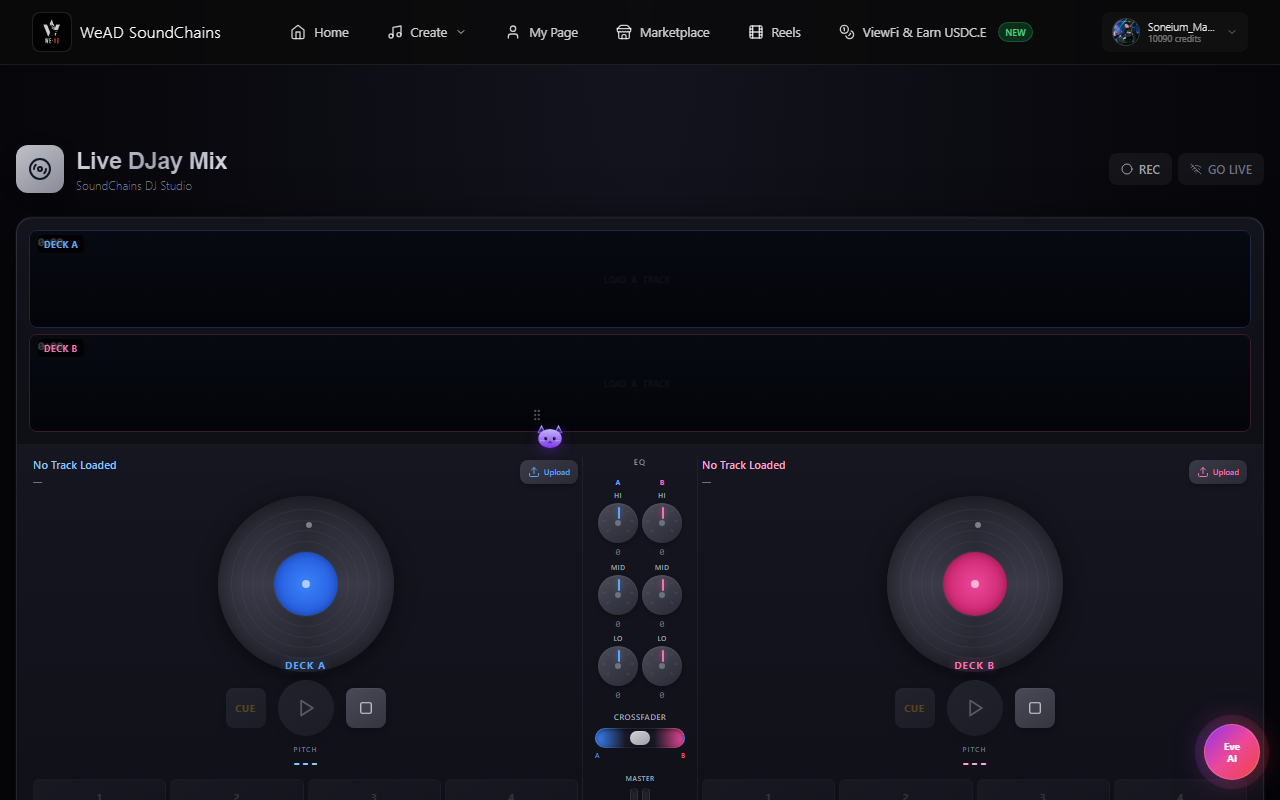
Two decks, crossfader, EQ, pitch, looping and scratch, plus 4 hot cues per deck, a filter, BPM detection, and recording of your mix. Mix any track from your library, or load an audio file from your computer (up to 100 MB). Free for signed-in users — no credits needed.
Pricing & credits at a glance
One credit ≈ one cent worth of AI compute. Daily Quest, WeAD Quest and referral rewards top you up for free.
Need more? Credit packs start at $0.12, and optional monthly plans are available — see the Buy credits section.
My Page & Profile
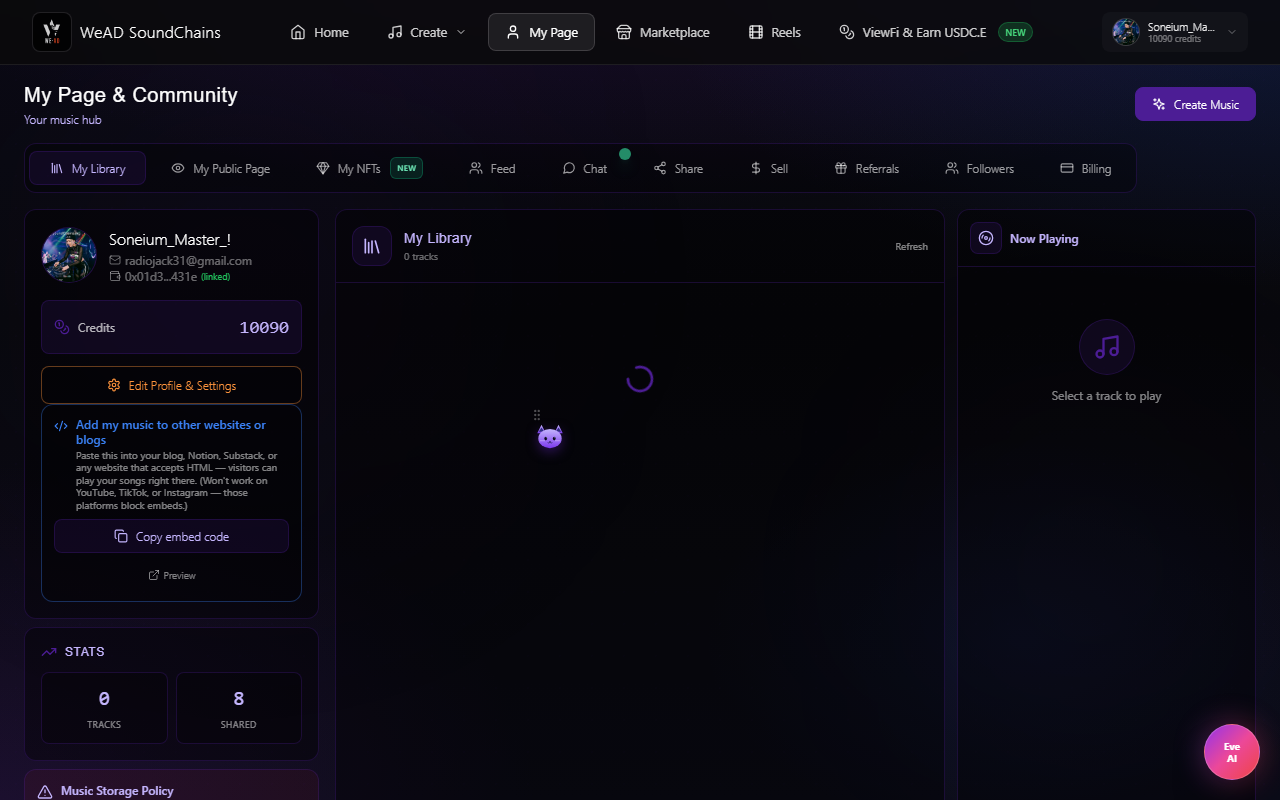
My Page is your dashboard. Tabs: My Library, My Public Page, My NFTs, Feed, Chat, Share, Sell, Referral Program and Billing. Your public artist page lives at your profile link. Profile is where you set your display info, country and wallet.
What lives on My Page
- My Library: every track you've made, ready to share, mint or sell
- My NFTs: your Soneium NFTs minted from your tracks
- Followers and play counts on your public page
- Comments on your work
Profile fields you should fill
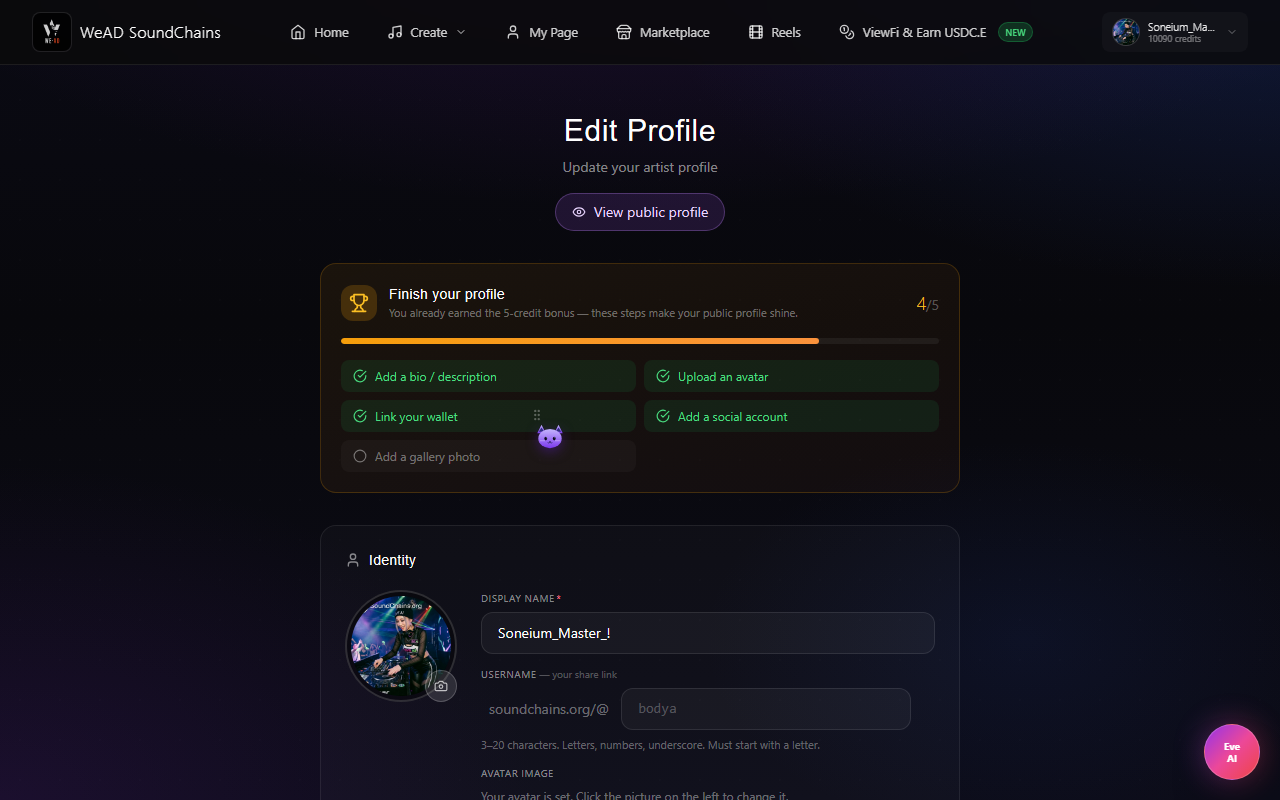
- Display name & avatar (shown on your chat messages, listings and reels; without one, you appear as a short form of your wallet or as Anonymous)
- Username (required for the +15 credit reward)
- Country (used to surface your tracks in the right region)
- Wallet address (optional — needed for NFT minting)
- Bio, social links
- Photo gallery (up to 6 images on your public profile)
Marketplace — discover, trade, share
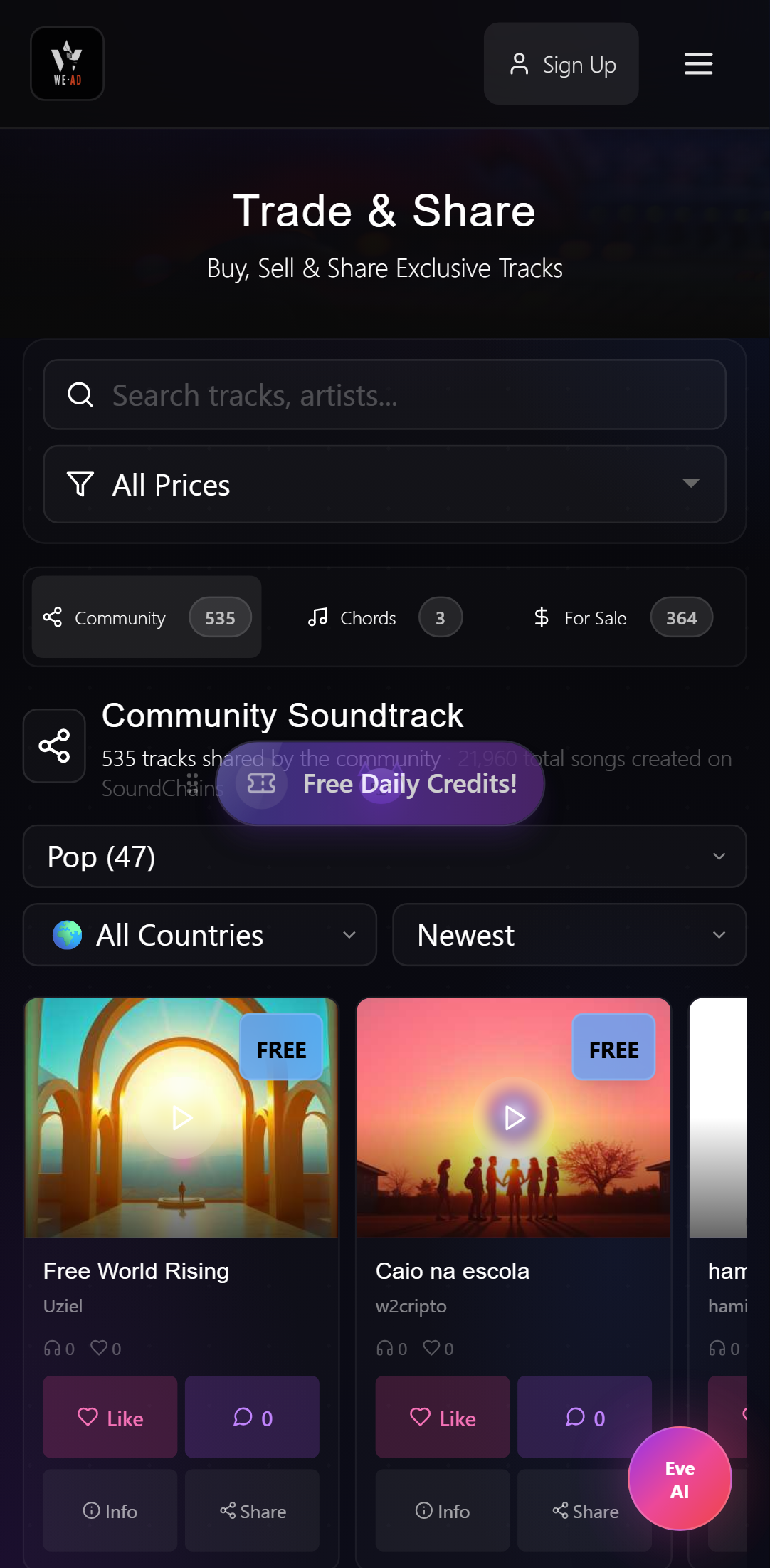
The Marketplace is where every track on the platform comes together: free community uploads to listen to, paid music ready to license, and finished tracks made from chord progressions.
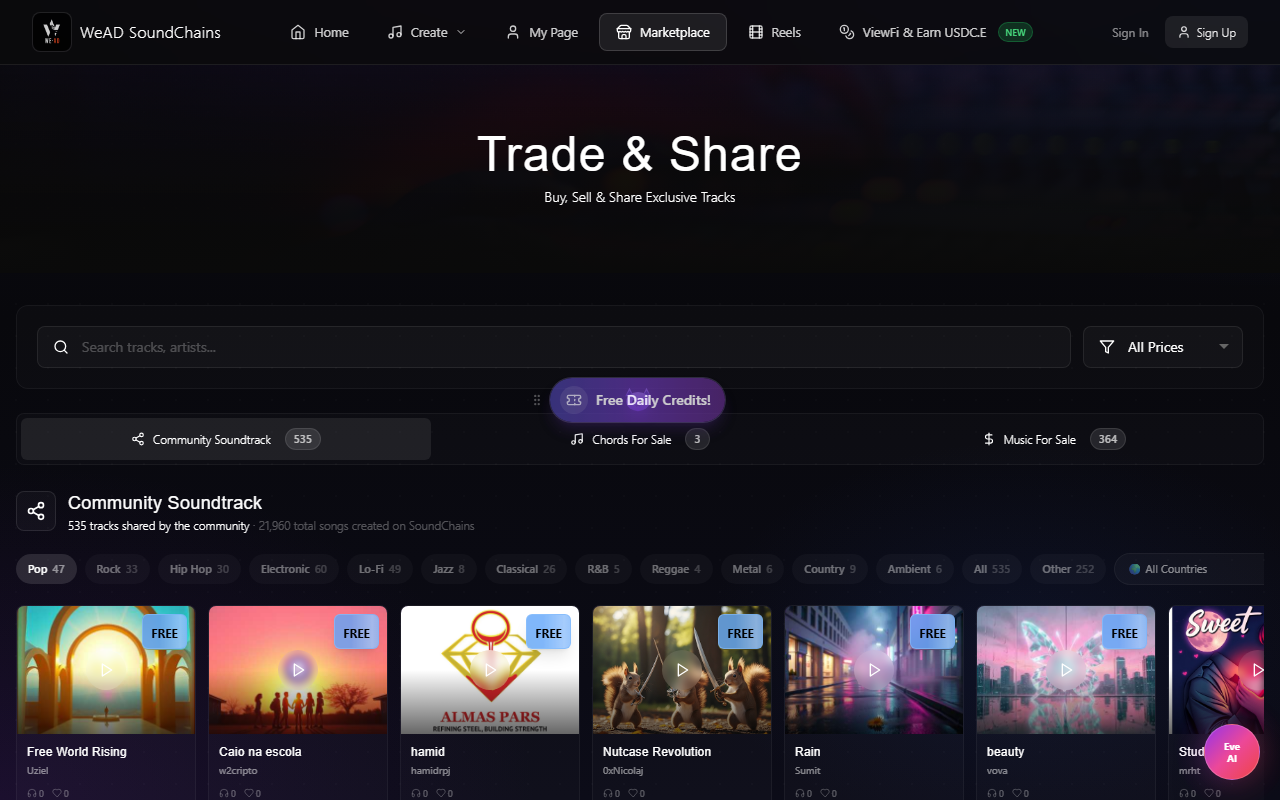
Three things you'll find in the Marketplace
Every track an artist publishes from their library lands here — search by title or artist and filter by genre. Free to play, like, comment and share. The fastest way to see what the AI + community is making right now.
This tab opens by default. Artists list a track from My Page → Sell and set a USD price. Buyers pay in crypto (Base ETH/USDC or Soneium ETH/USDC/USDSC) and receive the NFT, and the seller keeps 95%. Use it for YouTube, podcasts, ads, games — full commercial rights, as defined in Terms section 8.1.
Sign in to your SoundChains account before you buy; a connected wallet alone isn't enough.
Finished tracks made from chord progressions in the Hybrid Studio (e.g. an 8-bar Lo-Fi Gospel loop), for sale like any other track.
Each tab shows how many tracks are in it. Under the title you also see how many songs have been created on SoundChains. Press play once to start a track, and press the same button again to pause it.
Every track card has three actions
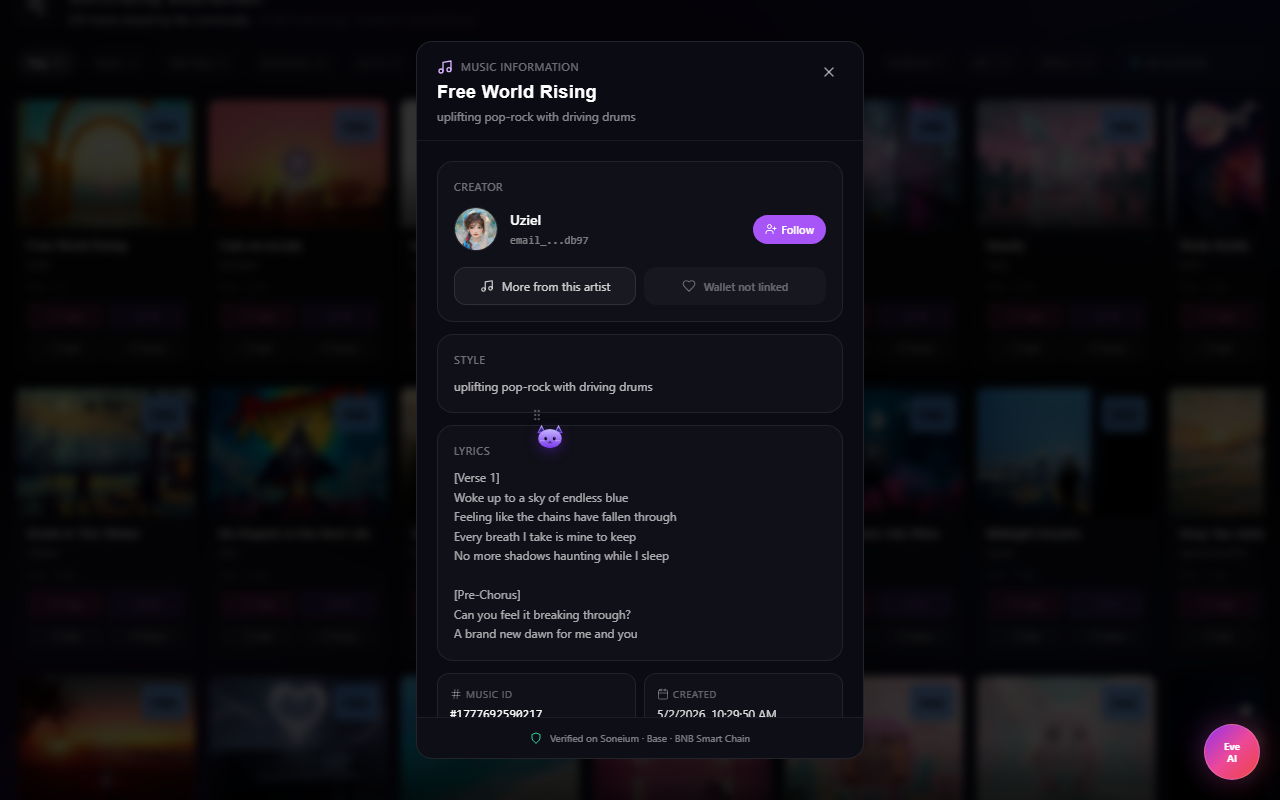
Creator, style, description, lyrics, credits used, and on-chain details for minted tracks.
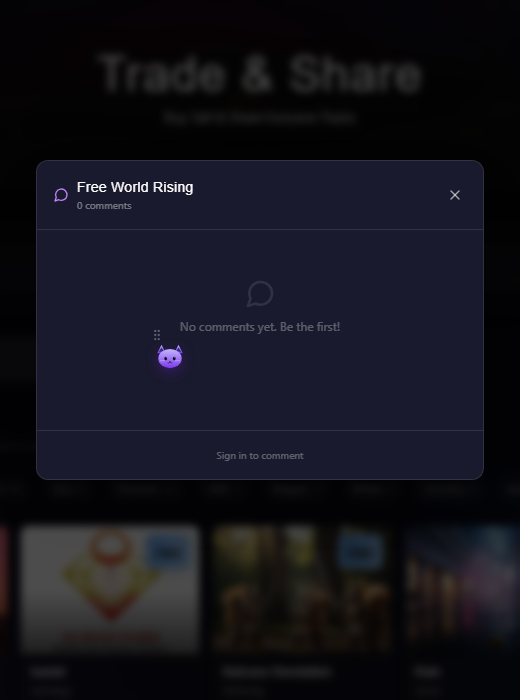
Comments per track, with replies.
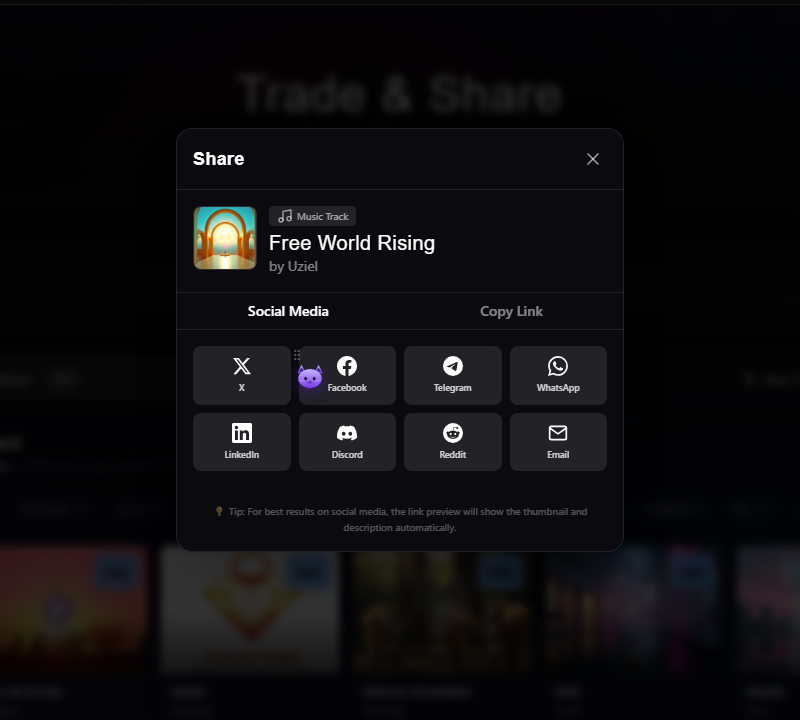
Share to X, Facebook, Telegram, WhatsApp, LinkedIn, Reddit, Discord or email.
Reels & Music Video Composer
Browse community tracks in a TikTok-style vertical feed, and create a music video for any of your songs that publishes to SoundChains and YouTube (TikTok and Instagram Reels coming soon) — all from one place.
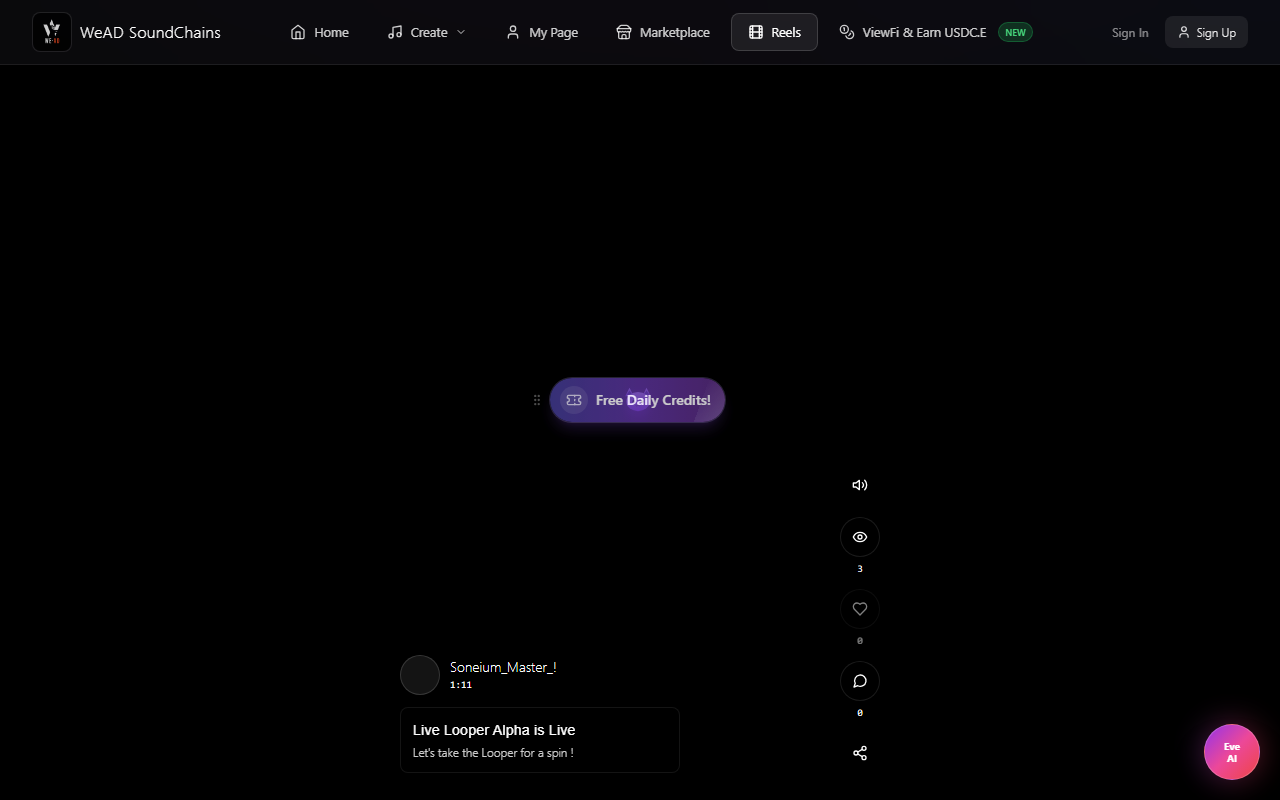
Create a music video and publish everywhere
Open the Share tab on your community page and scroll to Create a music video. Pick a song from your library, choose a visual, pick the destinations you want to publish to, then hit Render & Publish. That’s it — no separate tools, no manual re-uploads.
- Visual: upload your own video, upload a custom cover image, or use the song's default cover art.
- Format: pick Vertical 9:16 (Reels / Shorts / TikTok) or Horizontal 16:9 (YouTube classic).
- Destinations: SoundChains community feed (always available) and your YouTube channel after one-time OAuth connect. TikTok and Instagram Reels are coming soon.
- YouTube account: you can disconnect anytime from the destinations row to switch to a different YouTube account.
- Privacy & ownership: your SoundChains tracks stay in your library whether you share them or not, and they are never auto-deleted. Your YouTube uploads go straight to your channel under your own brand.
- Status: success and any failures show inline right under the composer, including a direct link to the new YouTube video — no tab-switching, no guessing.
- AI music video: generate a video for your song with AI for 40 credits. If generation fails, the credits are refunded.
Eve AI — your floating co-pilot
Eve is the chat bubble at the bottom-right of every page. Ask her how anything works, what things cost, or to write lyrics for your next song. She replies with links to the right page.
What Eve can do
- Write lyrics — "Eve, write lyrics for an upbeat lo-fi song about Tokyo at night", then paste them into the Composer
- Explain how any tool works, step by step
- Explain credits, pricing, NFTs and WeAD Quest in plain language
- Point you to the right page with a clickable link
- Translate lyrics
Daily Quest — free credits every 24h
A slot machine that picks a random community track for you. Spin, then like the track and leave a comment to claim. Each spin awards 1, 2, 5 or 10 credits — most spins give 1, and 10 is the rare jackpot. You get 2 free spins per day, plus up to 2 bonus spins for sharing your own tracks on X, and a one-time bonus spin for each WeAD X account you follow. Resets at 00:00 UTC (7:00 AM Vietnam time).
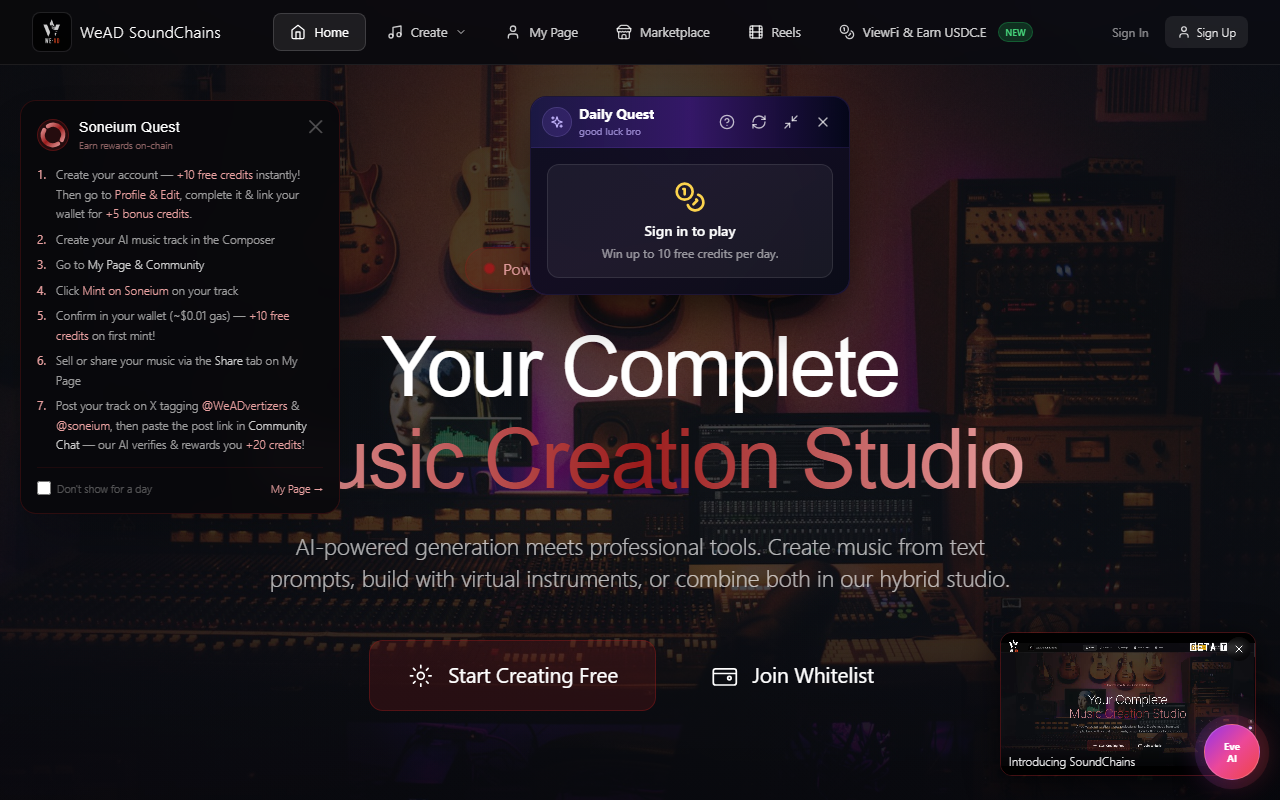
Mint on Soneium
Mint a track you made onto Soneium from My Page. Completing your profile is worth 15 credits, and your first mint is worth 10 more. There is no home-page popup — open My Page and use Mint NFT on the track.
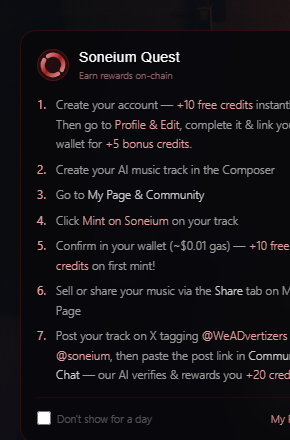
- Create your account, then open Profile & Edit and add your avatar, username, and bio — +15 free credits on completion.
- Create your first AI music track in the Composer.
- Go to My Page & Community.
- Click Mint NFT on your track in My Library.
- Confirm in your wallet. The free mint costs only gas — +10 free credits on first mint.
- Share it from the Share tab, or list it for sale from the Sell tab on My Page.
Optional mint tiers
Paid tiers are optional lifetime upgrades on top of the mint (tools are currently free for everyone):
- Spark ($0.10) — mint + DJ Studio unlock, Spark badge
- Pulse ($0.50) — everything in Spark + Chord Progression unlock
- Prime ($1) — everything in Pulse + Live Looper unlock, 1-tap “List on OpenSea”, community feed priority
- Legend ($10) — all current and future tools, Marketplace spotlight, 500 bonus credits
Buy credits
Top up with crypto whenever you run low (PayPal is coming soon). 1 credit = 1 cent, and bigger packs save ~17%. One-time packs need no subscription. Optional monthly plans are also available: Basic ($10 for 1,000 credits) and Pro ($30 for 3,000 credits).
Open Buy Credits from the nav to see live pack prices (from $0.12). Pay with crypto: ETH/USDC on Base or Soneium, BNB/USDC on BNB Chain (inside the Startale Mini app: ETH, USDC or USDSC on Soneium). PayPal is coming soon.
Referral Program
Invite friends with your referral link from the Referral Program tab on My Page, and earn when they buy credits.
- You earn 10% of each crypto credit purchase your referrals make. It is added to your referral balance in the token and on the chain they paid with.
- Once your referral balance reaches $5, press Request payout in the Referral Program tab and pick Base, Soneium or BNB Chain. Payouts are not automatic: an admin reviews each request first, then sends USDC to your linked wallet, usually within a few days.
- You also get 12 credits when a referred friend makes their first paid purchase.
- Track your referrals and earnings in the Referral Program tab on My Page.
Mobile & Startale Mini app
Every page is built mobile-first. The marketplace, composer, DJ Mix and reels are all touch-optimised. Inside the Startale Mini app, payments run on Soneium only, and projects saved there stay on that device and aren't shared with the website.
Creator royalties — 5% on every resale
Whenever someone resells your music NFT on SoundChains, you earn a lifetime 5% royalty. No setup, no contract, no opt-in — it's automatic.
A one-time sale gives you one paycheck. With creator royalties, every time someone discovers your work and trades it again, you earn 5% of the new sale price. It's the kind of long-tail income that traditional streaming platforms quietly never wanted to give creators.
- When it triggers: Only on resales (when the seller is not the original creator). Primary sales — you selling your own first listing — work like before: you keep the standard 95% seller share. On a resale, the reseller receives 90% (5% platform fee + your 5% royalty).
- How it pays: Royalties accrue in your Royalty earnings bucket in USDC/USDSC (the token the buyer used). Sales paid in ETH don't carry a royalty yet. Once you have at least $5 in royalties older than 7 days, tap Request withdrawal on the My NFTs tab: we review each request by hand and send USDC to your linked wallet, usually within a few days.
- Where to see it: The My NFTs tab shows a small “5% royalty” pill on every NFT card and a Royalties: $X.XX stat on the “NFTs You Sold” section header. Royalty events also fire an email so you know the moment your music earns.
- Phase 1 scope: Royalty is enforced on stablecoin sales SoundChains settles itself: USDC on Base or Soneium, and USDSC on Soneium. ETH-paid sales that settle directly on the NFT contract are outside that bucket until the next contract upgrade.
Why this matters: it gives creators a reason to come back and keep building a catalog, because every track they publish has the chance to earn forever instead of just once.
That's the whole platform.
Bookmark this page — it's also linked from the Create dropdown under “Manuals”. If anything here differs from the price shown in the app, the app is correct.